
Download Chemitorium – Chemical Formulas Editor, 3D Molecule Visualization, Molecular Structure Tool
Overview
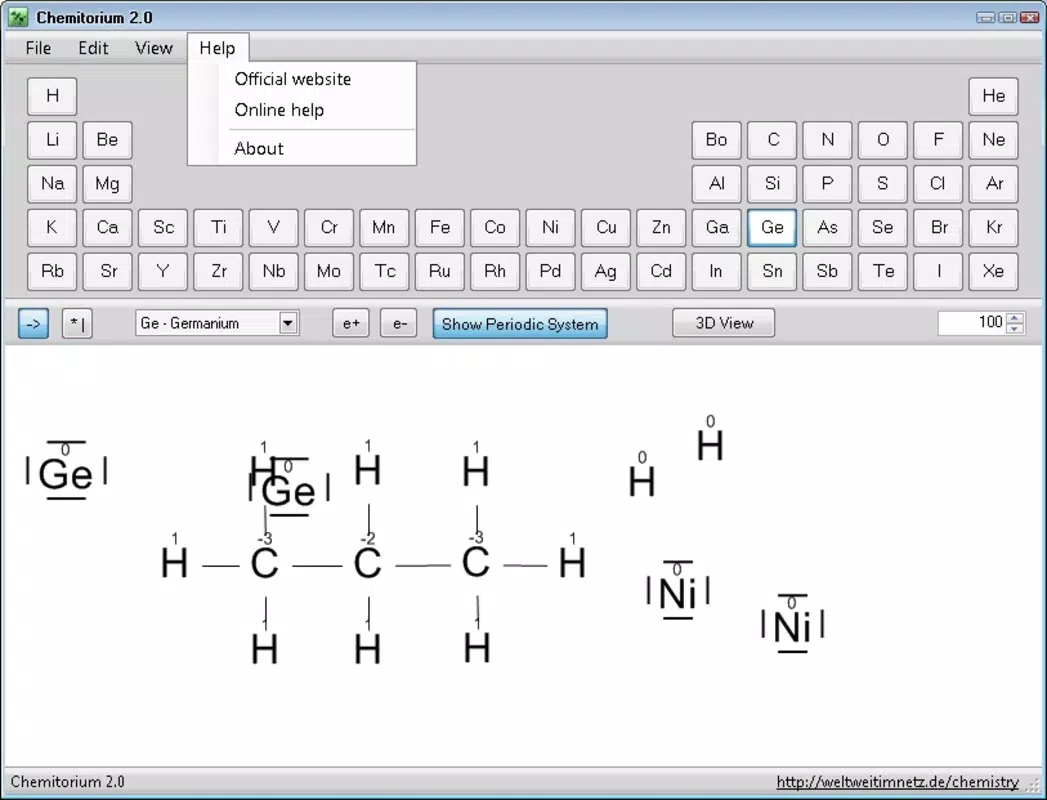
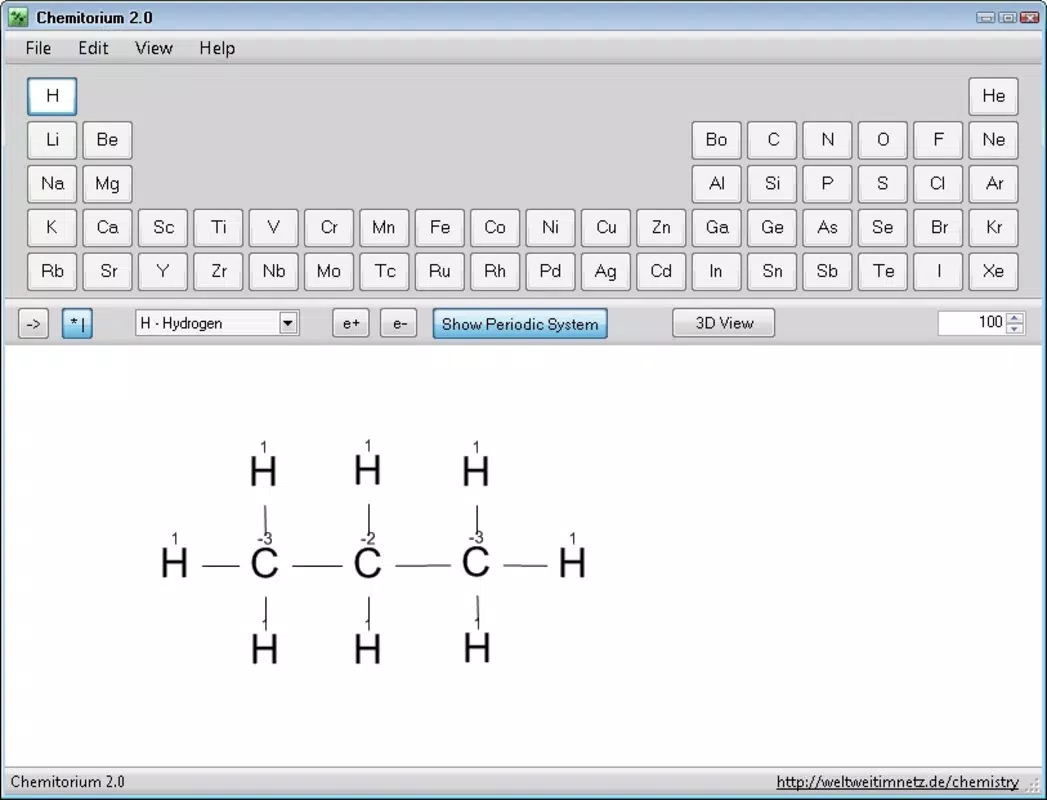
Chemitorium is a specialized mobile application designed for the creation and visualization of chemical structures in three dimensions. It serves as a digital tool for users interested in molecular modeling, particularly those engaged in chemistry education or advanced scientific exploration. The app enables users to construct molecular formulas and instantly generate detailed 3D representations, offering a dynamic way to study molecular geometry and spatial relationships. Its primary function is to bridge the gap between theoretical chemical notation and visual understanding through immersive, high-quality renderings.
Target users include chemistry students, educators, and professionals who require a portable, intuitive platform for visualizing complex molecules. The app may be especially useful in classrooms or study environments where visual aids enhance comprehension of molecular configurations. Real-world applications extend to academic presentations, research documentation, and personal learning projects. By allowing export of 3D models as images or AVI video files, Chemitorium supports content creation for reports, lectures, and digital portfolios.
The developer, Chemitorium, has positioned the app within the productivity category, emphasizing its utility as a scientific tool rather than a game or entertainment app. Although the developer did not provide additional technical details about their background or organizational history, the app’s focus on precision and visual fidelity suggests a targeted development effort. In the broader app ecosystem, Chemitorium fills a niche for mobile-based molecular visualization, offering a lightweight yet powerful alternative to desktop software on Android devices.
Key Features & Functionality
- 3D Molecule Construction: Users can build molecular structures from scratch using an intuitive interface, selecting atoms and bonds with precision to form accurate chemical formulas.
- High-Fidelity 3D Rendering: The app generates detailed three-dimensional models with anti-aliasing, reducing jagged edges and enhancing visual clarity for a more professional appearance.
- Export to Image and AVI Video: Completed models can be exported as static images or animated AVI video files, enabling use in presentations, publications, or educational materials.
- Real-Time Rotation and Zoom: Interactive controls allow users to rotate, pan, and zoom the 3D models, facilitating in-depth examination of molecular geometry from any angle.
- Chemical Formula Accuracy: The app supports the correct representation of molecular structures, helping users verify bond angles, atom placement, and spatial arrangement.
For example, a chemistry student studying organic compounds can use Chemitorium to build a benzene ring, apply anti-aliasing for a polished look, and export it as an AVI video to demonstrate resonance in a class presentation. Similarly, a researcher might use the app to visualize a complex protein structure for preliminary analysis, leveraging the export feature to include visual references in a report. The ability to manipulate models in real time enhances spatial reasoning and conceptual understanding, making the app a valuable supplement to traditional learning methods.
Interface, UX & Performance
Chemitorium features a clean, purpose-driven interface optimized for scientific visualization. The layout centers around a large 3D canvas where molecular models are displayed, with toolbars and menus positioned for easy access without clutter. Navigation is straightforward, relying on touch gestures such as tap, drag, and pinch to rotate, zoom, and reposition models. The visual style prioritizes clarity and functionality, avoiding unnecessary animations or decorative elements that could distract from the core task.
Users can expect smooth interaction across a range of Android devices, though the developer did not specify minimum performance requirements. Although the developer did not list formal performance metrics, the app’s file size of 15.6 MB suggests efficient resource usage, which likely contributes to stable operation on mid-tier and higher-end smartphones. Responsiveness appears consistent, with minimal lag during model manipulation and rendering. Stability is likely maintained through targeted optimization, given the app’s focused functionality and absence of third-party integrations.
Compatibility with various screen sizes and resolutions is implied by its Android platform availability, though specific device testing was not disclosed. The app does not require extensive permissions beyond those necessary for rendering and file export, indicating a secure and minimalistic approach to user data. Overall, the user experience is tailored to the needs of scientific users who value accuracy, speed, and visual quality over flashy design elements.
Platform Compatibility & Technical Requirements
Chemitorium is available exclusively on the Android platform, making it accessible to users of Android smartphones and tablets. The current version is 1.2.0, with a file size of 15.6 MB, indicating a lightweight and efficient application. The app is free to download and install, removing cost barriers for students and educators.
The developer did not specify minimum OS requirements, nor did they list compatibility with specific device models or hardware capabilities. As such, users should ensure their Android device supports modern graphics rendering and sufficient processing power for 3D visualization. While no formal requirements were disclosed, the app’s functionality suggests it may perform best on devices running Android 8.0 (Oreo) or later, though this is not confirmed. The absence of detailed technical specifications means users should rely on real-world testing for optimal results.
Pros and Cons
Pros
- Free to download and use, offering strong value for educational and personal purposes.
- Supports 3D visualization with anti-aliasing for enhanced image quality.
- Allows export of models as images and AVI videos for sharing and documentation.
- Intuitive interface designed for efficient molecular modeling on mobile devices.
- Lightweight file size (15.6 MB) ensures fast installation and minimal storage usage.
Cons
- Developer did not provide information on minimum OS version or device compatibility.
- No mention of support for iOS or other platforms.
- Export functionality is limited to AVI format, which may not be ideal for all users.
- Specific features for advanced chemistry tasks (e.g., molecular dynamics, simulations) were not listed.
- Compatibility with older Android devices was not confirmed.
FAQ
Is Chemitorium safe to download and install?
Yes, Chemitorium is a free Android app with no known security risks. It does not require excessive permissions and is available through official Android distribution channels.
Can I use Chemitorium on iOS devices?
Currently, Chemitorium is only available for Android. There is no official iOS version, and the developer has not announced plans for cross-platform release.
What file formats does Chemitorium support for export?
The app supports exporting 3D molecular models as static images and AVI video files. No other formats were mentioned in the provided information.
How often is Chemitorium updated?
The latest version is 1.2.0, released on April 15, 2024. The developer has not disclosed a regular update schedule, so users should check the app store for new releases.
Does Chemitorium require an internet connection?
No, Chemitorium functions entirely offline. All modeling, rendering, and export operations are performed locally on the device, ensuring privacy and consistent performance.
Final Thoughts & CTA
Chemitorium stands out as a focused, high-quality tool for anyone involved in chemistry education or molecular visualization. Its ability to render detailed 3D models with anti-aliasing and export them in AVI format makes it a unique asset in a mobile-first learning environment. While it lacks some advanced features found in desktop software, its compact size, free access, and intuitive design make it ideal for students, teachers, and science enthusiasts who need a portable visualization companion.
Despite limited technical details, the app delivers a smooth and reliable experience for its intended purpose. Its emphasis on visual clarity and ease of use ensures that users can focus on learning and creation without technical distractions. For those seeking a secure, lightweight, and effective way to explore molecular structures on Android, Chemitorium offers compelling value.
Download Chemitorium now to bring chemistry to life in vivid 3D on your smartphone or tablet.


